

Managing your retirement income on a fixed budget can feel overwhelming when living costs fluctuate unpredictably. Free mobile tools now make it simple to track expenses, safeguard savings, and monitor investments without paying expensive monthly subscription fees.
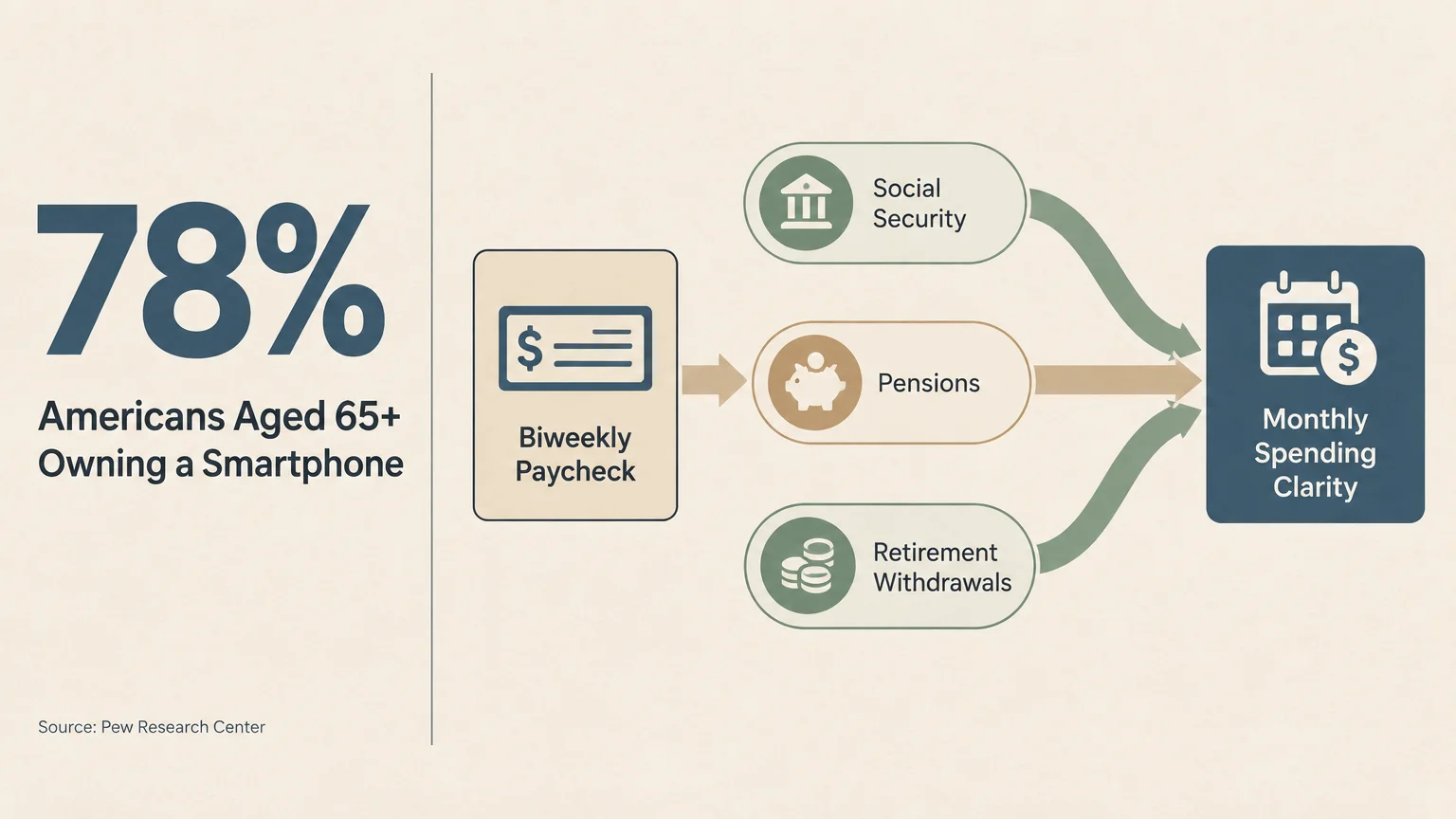
With smartphone adoption among adults 65 and older reaching 78 percent, millions of seniors now manage their household finances from mobile devices. You can easily do the same.
Here are twelve trustworthy and free tools that retirees use to balance household cash flow, slash prescription costs, and safeguard their hard-earned nest eggs every day.
In this guide7 sections
- Why Digital Money Management Matters in Retirement
- Top 12 Free Apps for Retirees Explained
- Comparing the Best Free Finance Apps for Seniors
- Step-by-Step: How to Set Up Your First Money App Safely
- Managing Fixed Incomes and Required Minimum Distributions
- Common Financial App Pitfalls and How to Avoid Scams
- Frequently Asked Questions
Why Digital Money Management Matters in Retirement
Retirement changes how money flows through your life. Instead of relying on a predictable biweekly paycheck, you manage withdrawals from retirement accounts, pensions, and Social Security.
Monitoring multiple income streams on paper can lead to math errors and overlooked expenses. Digital tools organize your cash flow automatically, giving you immediate clarity regarding your monthly spending limits.
According to recent data from the Pew Research Center, 78 percent of Americans aged 65 and older now own a smartphone. Mobile devices have become trusted tools for banking, communication, and healthcare management.
Many retirees previously relied on Intuit Mint to organize their finances. However, Intuit permanently shut down Mint on March 23, 2024, leaving millions of seniors searching for capable, cost-free replacements.
Fortunately, modern money apps offer exceptional security and ease of use. They give you the confidence to enjoy your retirement without worrying about unexpected financial shortfalls.
Top 12 Free Apps for Retirees Explained
1. Empower Personal Dashboard
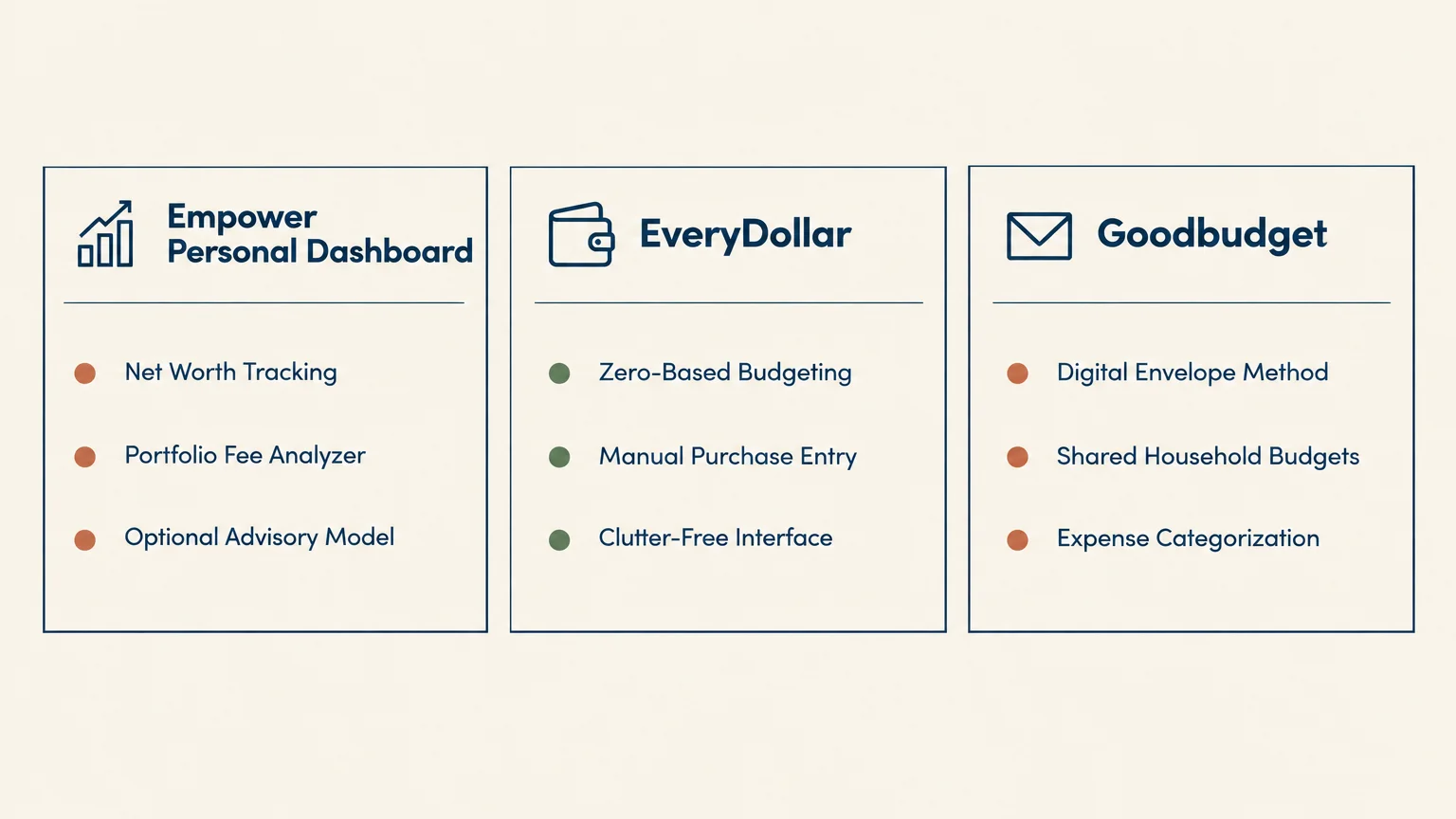
Empower Personal Dashboard delivers comprehensive wealth and portfolio tracking without charging a dime. It consolidates your checking accounts, credit cards, IRAs, and brokerage holdings into one organized view.
Retirees love its visual retirement planner and investment fee analyzer. The platform calculates your real-time net worth and models your expected retirement cash flow through future decades.
Empower generates revenue by offering optional human wealth advisory services. This business model allows them to keep the core dashboard completely free forever.
2. EveryDollar
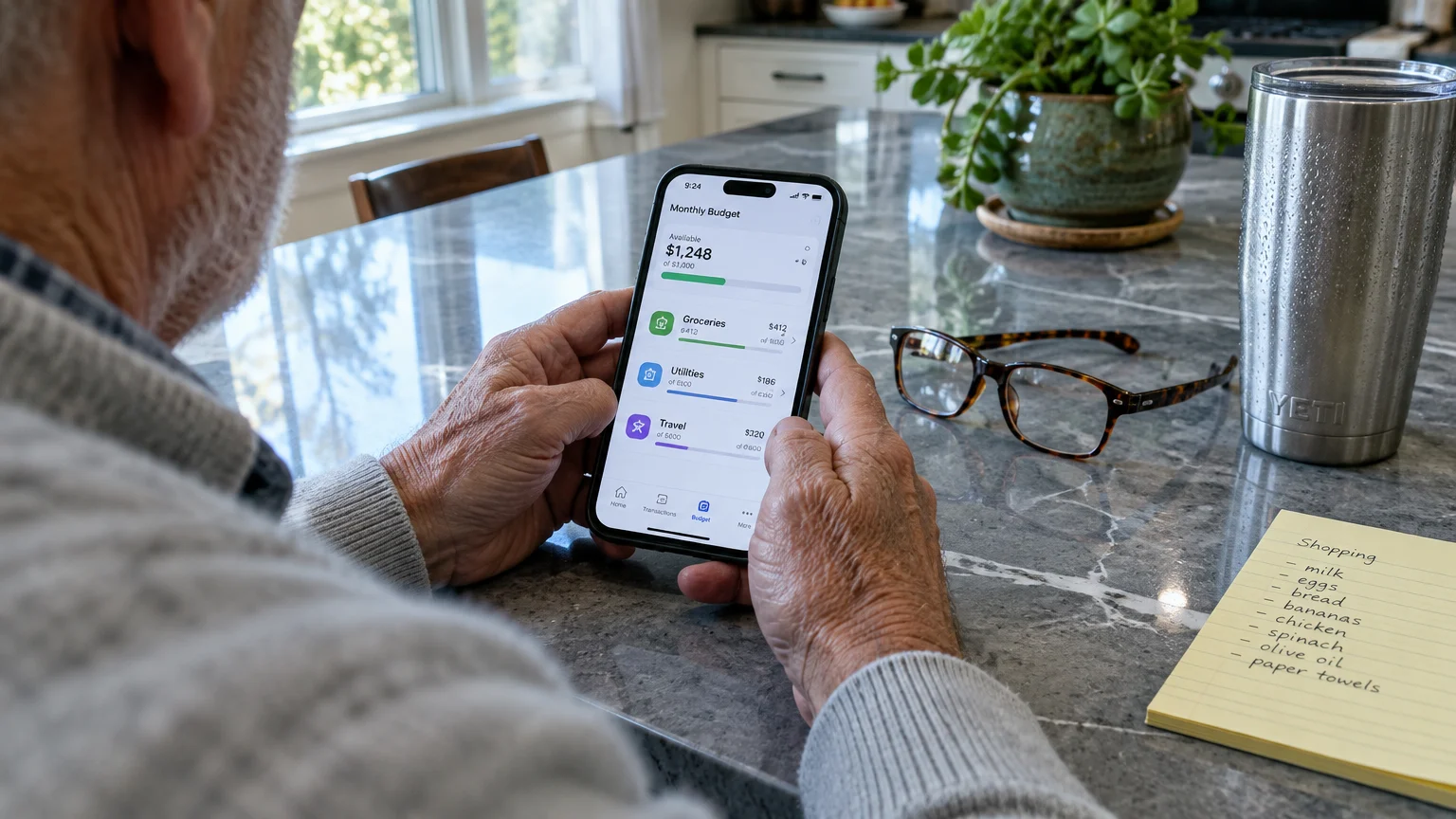
EveryDollar implements zero-based budgeting to give every retirement dollar an assigned job. You assign your monthly income toward specific categories like groceries, utilities, and travel until zero unassigned dollars remain.
The free tier requires manual entry of your purchases and receipts. This hands-on process builds financial mindfulness and keeps you acutely aware of your spending patterns.
While automated bank syncing requires a premium subscription, the manual version costs nothing. It provides a clean, clutter-free layout that simplifies your monthly budget planning.
3. Goodbudget
Goodbudget converts the time-tested cash envelope method into a modern digital system. You allocate your monthly funds into virtual envelopes designated for groceries, medical supplies, leisure, and emergency savings.
The free tier includes ten regular envelopes, ten annual savings envelopes, and access on two synced devices. This makes it ideal for couples who want to coordinate monthly grocery runs.
Because you enter transactions manually, Goodbudget never asks for your bank login credentials. This extra barrier provides robust privacy for security-conscious retirees.
4. Honeydue
Honeydue is designed specifically to help couples manage shared household finances cooperatively. It syncs with balances and transactions from more than 20,000 financial institutions nationwide.
You decide exactly how much information you share with your spouse. You can share full account balances while keeping specific gift or personal accounts completely private.
The app remains entirely free without hidden subscription paywalls or premium tiers. The company sustains the platform through voluntary tips from satisfied users.
5. NerdWallet
NerdWallet gives you an all-in-one financial dashboard that monitors cash flow, tracks net worth, and organizes upcoming bills. It categorizes your transactions automatically so you can spot excessive spending quickly.
The app also includes free weekly credit score updates powered by TransUnion VantageScore 3.0. Regularly checking your credit profile helps you identify identity theft or fraudulent activity early.
You never have to pay a subscription fee to use NerdWallet. The company earns revenue through recommended financial partner products rather than monthly user charges.
6. PocketGuard
PocketGuard eliminates guesswork by telling you exactly how much spendable cash you have remaining. The app deducts your upcoming recurring bills and savings targets from your expected monthly income.
Its core “In My Pocket” figure provides an instant snapshot of your safe discretionary spending money. This helps retirees avoid accidentally dipping into utility or medication funds.
The free version restricts users to two linked financial accounts and two custom spending categories. Even with these limits, it offers excellent clarity for seniors with straightforward routines.
7. CMS “What’s Covered”
The official “What’s Covered” app helps you navigate medical expenses under Original Medicare. Created by federal healthcare authorities, this mobile tool functions smoothly both online and offline.
You can look up specific medical tests, therapies, hospital services, and medical equipment in seconds. The app outlines your exact coverage rules, deductibles, and required copayments.
As noted by the Centers for Medicare & Medicaid Services (CMS), understanding your benefit eligibility prevents unexpected billing surprises. Best of all, this official government app is 100 percent free.
8. GoodRx
GoodRx helps seniors dramatically reduce out-of-pocket costs on maintenance and specialty medications. It tracks and compares retail cash prices and coupon discounts across more than 70,000 pharmacies nationwide.
Coupons on the app can slash retail prescription prices by up to 80 percent. Many retirees discover that GoodRx cash prices beat their Medicare Part D copayments for certain prescriptions.
You simply display the free digital coupon on your phone to the pharmacy technician. Accessing these discounts requires no paid subscription or club membership.
9. AARP Now
The AARP Now app helps you locate nearby discounts on restaurants, hotels, retail stores, and entertainment. It uses your location to highlight instant savings within your immediate neighborhood.
The app stores a digital copy of your membership card so you never forget it at home. It also provides news updates and notifications regarding local community events.
While accessing exclusive partner deals requires an AARP membership, downloading and exploring the app is free. The daily savings on dining and travel easily offset any minimal membership costs.
10. Fetch
Fetch transforms everyday grocery and household receipts into valuable digital gift cards. You simply take a photo of your paper receipt or link your digital email inbox.
Every scanned receipt earns points that you can redeem for gift cards at retailers like Amazon, Walmart, and Target. The app accepts receipts from supermarkets, pharmacies, hardware stores, and gas stations.
Fetch does not require you to clip coupons or buy specific pre-selected brands. It offers a hassle-free method to recoup a little cash from necessary living purchases.
11. Upside
Upside awards cash back on essential driving and dining expenses. You open the app map, select an offer at a nearby gas station or grocery store, and make your purchase.
You earn cash back per gallon every time you fuel your vehicle. You can cash out your accumulated earnings directly to your bank account or PayPal whenever you wish.
The app is completely free to install and charges zero monthly service fees. It provides practical relief against fluctuating fuel costs during retirement travels.
12. Mobile Banking Apps with Security Alerts
Your primary bank or credit union’s official mobile app provides exceptional money management tools at no cost. Major banks equip their apps with sophisticated budgeting dashboards and instant account monitoring.
You can establish real-time push alerts that notify you whenever a purchase occurs. If you misplace your debit card, you can lock it immediately inside the app to prevent fraud.
Mobile check deposit also lets you deposit checks safely from your living room. This convenient feature saves you unnecessary trips to physical bank branches.
Comparing the Best Free Finance Apps for Seniors
Choosing the right app depends on your personal financial goals and technological comfort. Some retirees prefer automated portfolio tracking, while others favor simple manual expense tracking.
The comparison table below outlines the core strengths, best features, and free tier parameters for each recommended tool.
| App Name | Primary Focus | Best Feature for Retirees | Free Tier Limitations | Technological Difficulty |
|---|---|---|---|---|
| Empower | Wealth Tracking | Retirement cash-flow planner and net worth tracking | None; core dashboard is permanently free | Moderate |
| EveryDollar | Zero-Based Budget | Clear allocation for monthly pension and benefit income | Manual transaction entry required | Easy |
| Goodbudget | Envelope Budgeting | Digital cash envelopes without linking bank logins | Capped at 20 envelopes, 1 account, 2 devices | Easy |
| Honeydue | Couples Budgeting | Shared household view with custom privacy levels | None; funded entirely by voluntary user tips | Easy to Moderate |
| NerdWallet | Cash Flow & Credit | Free weekly TransUnion credit score monitoring | Displays partner product recommendations | Easy |
| PocketGuard | Spendable Cash | “In My Pocket” daily spendable cash calculation | 2 linked accounts and 2 categories only | Easy |
| CMS What’s Covered | Healthcare Coverage | Instant lookup for Original Medicare Part A and B | Does not track prescription drugs or Advantage plans | Very Easy |
| GoodRx | Prescription Savings | Prescription discounts saving up to 80 percent | Price comparison tool only; does not track cash flow | Very Easy |
| AARP Now | Senior Discounts | Location-based savings on dining, hotels, and retail | Full discount redemption requires AARP membership | Easy |
| Fetch | Receipt Rewards | Converts grocery and pharmacy receipts into gift cards | Requires snapping photos of paper or digital receipts | Very Easy |
| Upside | Gas & Grocery Savings | Direct cash-back earnings per gallon at gas stations | Offer availability depends on your geographic location | Easy |
| Mobile Banking Apps | Account Protection | Instant purchase alerts and one-tap debit card locking | Limited to accounts held at your specific bank | Easy to Moderate |
Reviewing these options helps you select tools that match your lifestyle without paying for unneeded features. Many retirees combine two or three specialized apps for complete coverage.
Step-by-Step: How to Set Up Your First Money App Safely
Setting up a new financial application does not have to feel intimidating. Following a structured setup process protects your private financial details and ensures a smooth digital experience.
Follow these essential steps when installing your chosen finance application:
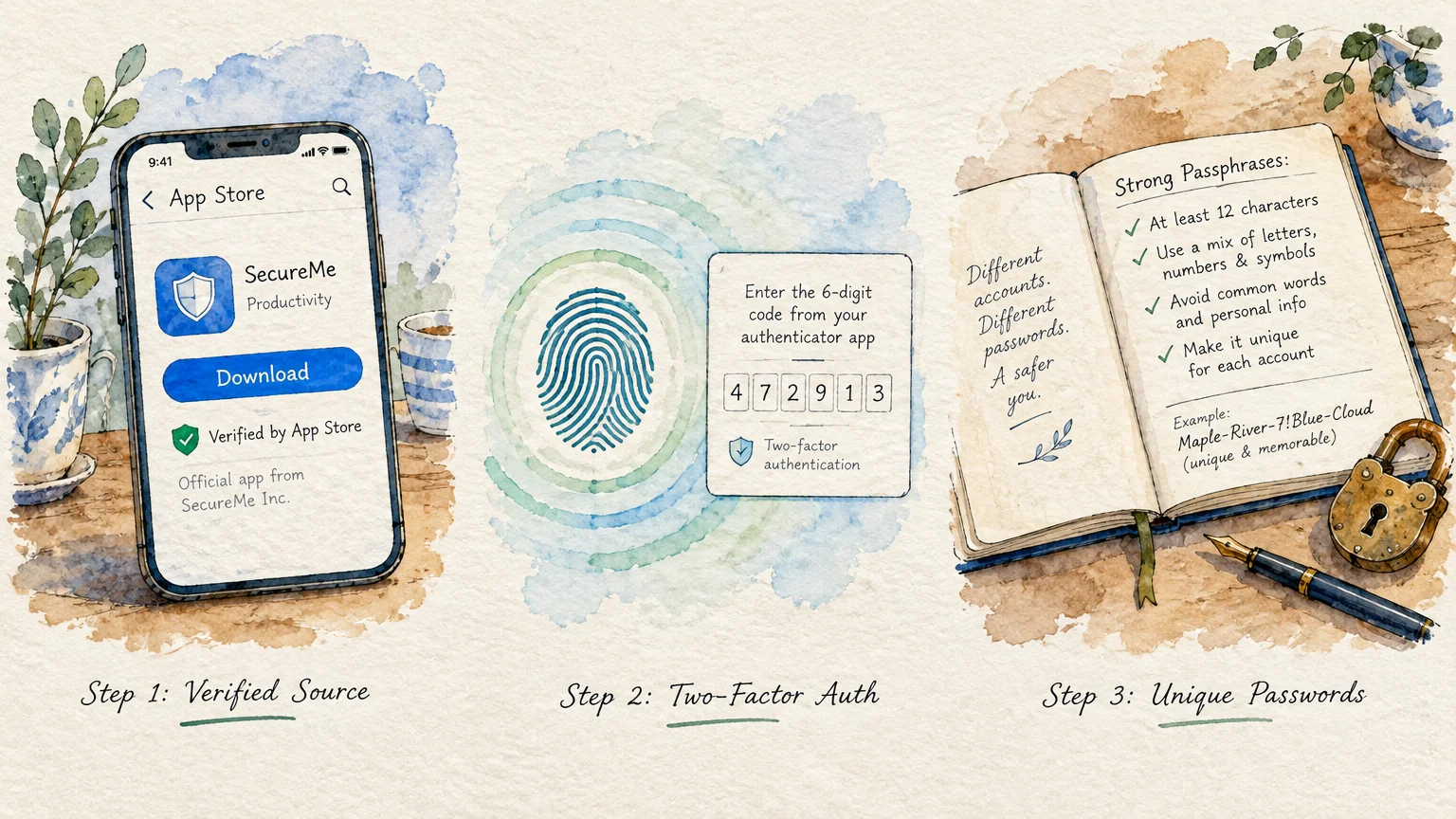
- Download apps exclusively from the official Apple App Store or Google Play Store to avoid counterfeit software.
- Create a strong, unique password containing at least twelve characters, mixing upper and lowercase letters, numbers, and symbols.
- Enable two-factor authentication so that logins require a temporary verification code sent to your mobile phone.
- Turn on biometric authentication, such as fingerprint scanning or facial recognition, for quick and secure access.
- Configure real-time push notifications to alert you whenever a transaction, withdrawal, or balance change takes place.
According to the Consumer Financial Protection Bureau (CFPB), older consumers should regularly review bank statements and use trusted financial tools to spot unauthorized charges quickly.
Taking these protective precautions shields your assets while giving you total control over your retirement budget.
Managing Fixed Incomes and Required Minimum Distributions
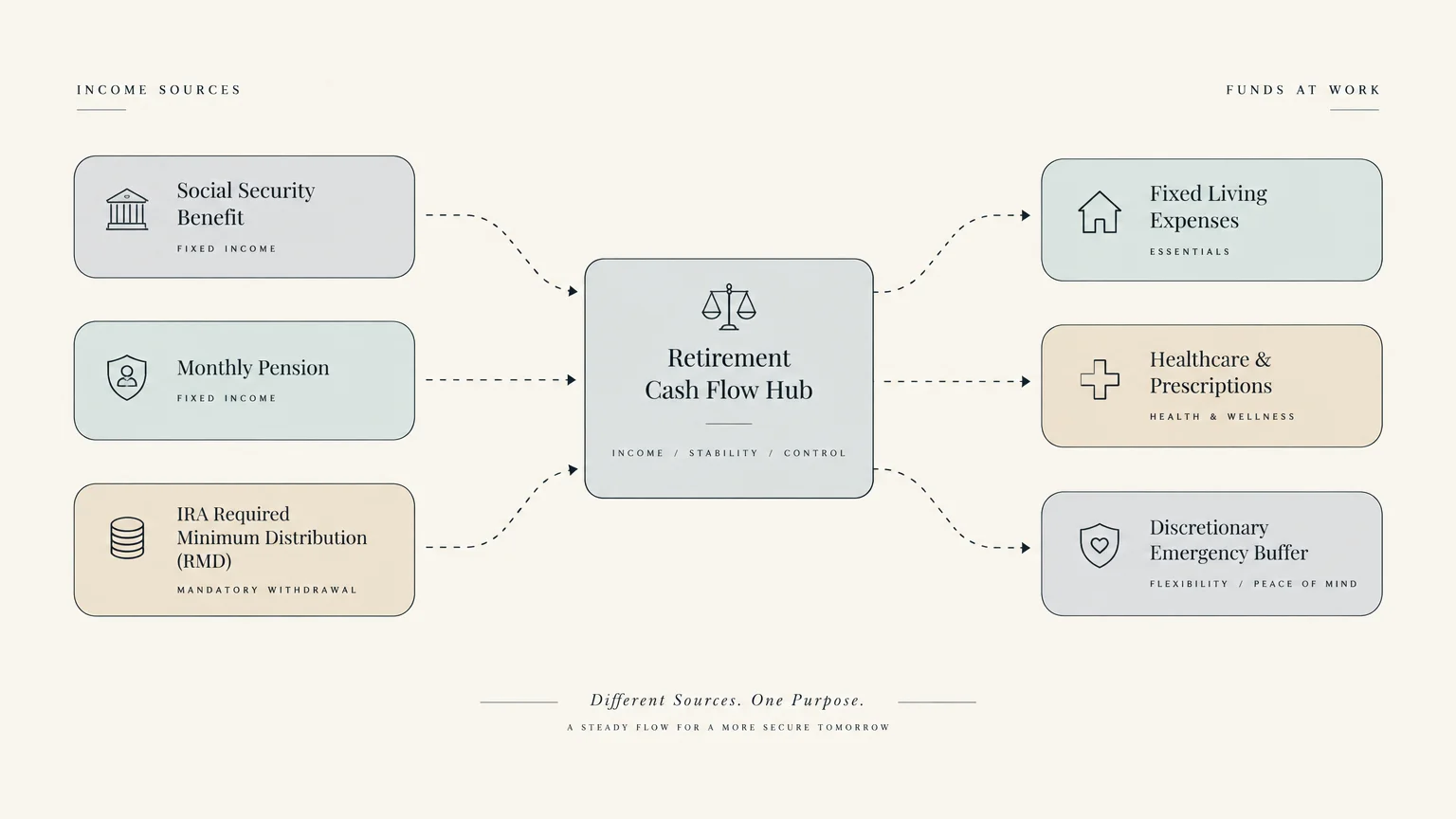
Retirees face unique cash-flow hurdles that working adults never encounter. Balancing pension payments, Social Security, and savings withdrawals requires careful monthly coordination.
At age 73, you must also navigate Required Minimum Distributions (RMDs) from traditional retirement accounts. Failing to withdraw the proper amount triggers steep federal tax penalties.
Guidance from the Social Security Administration (SSA) highlights the importance of coordinating monthly benefit deposits with other retirement distributions.
Apps like Empower help you track these distributions to ensure you withdraw accurate amounts each year. Digital budgeting tools keep your annual tax liabilities predictable and manageable.
Common Financial App Pitfalls and How to Avoid Scams
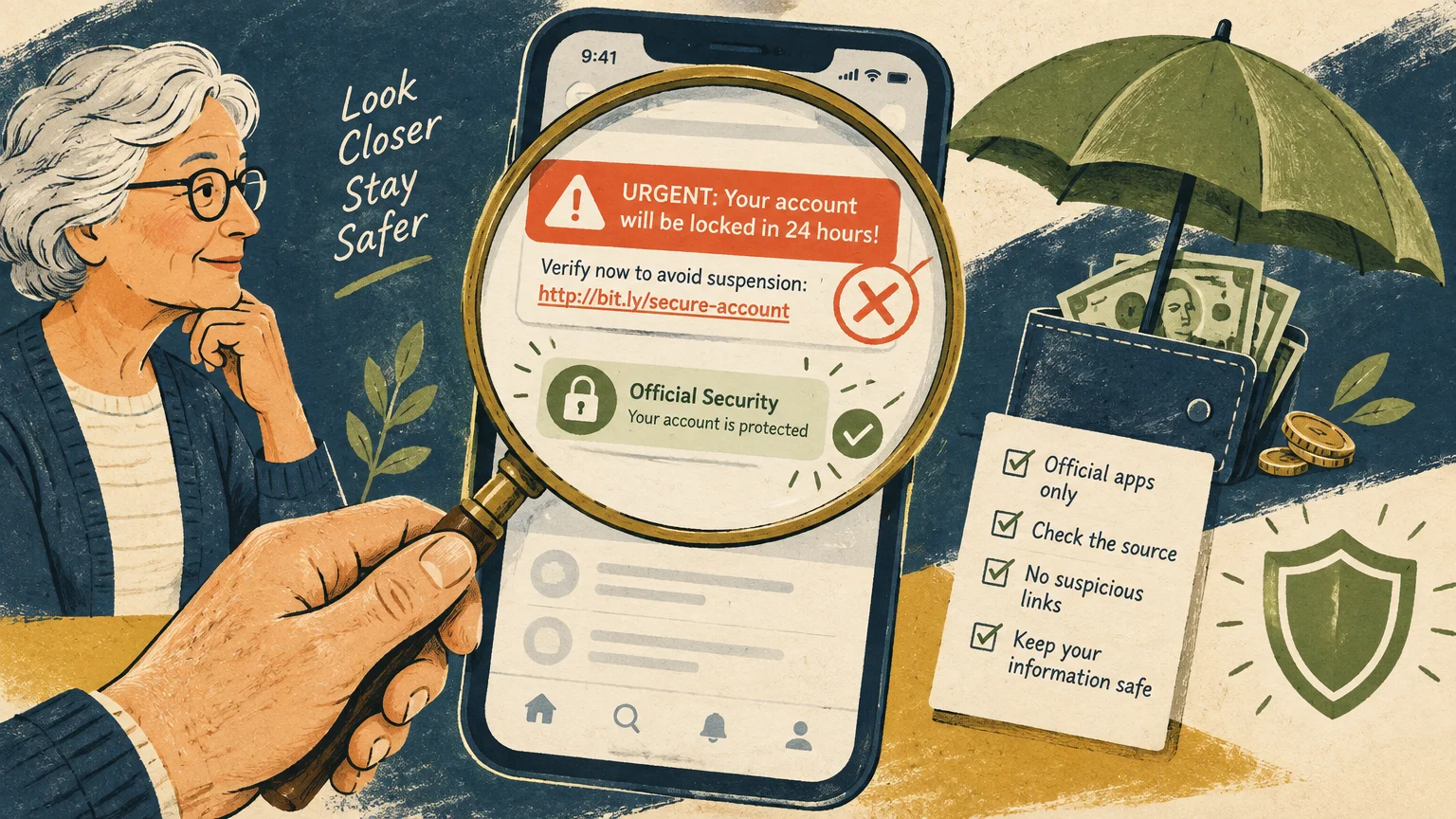
Digital finance tools offer enormous convenience, but scammers often target seniors through deceptive digital schemes. Remaining alert keeps your hard-earned retirement nest egg secure.
Never download financial apps through text message links or unsolicited emails. Cybercriminals frequently design counterfeit apps that mimic legitimate banks to steal user login credentials.
Always install applications directly through the official Apple App Store or Google Play Store. Verify the developer’s name and check user reviews before hitting the download button.
Avoid accessing your financial apps over public Wi-Fi networks at airports, hotels, or cafes. Unsecured wireless networks allow hackers to intercept sensitive financial transmissions.
Beware of free apps that demand credit card information for a temporary trial. Many disreputable apps automatically convert into expensive recurring subscriptions unless canceled immediately.
Frequently Asked Questions
Are free money apps safe to link to my retirement accounts?
Most reputable financial apps use bank-level 256-bit encryption to protect your data. They connect using read-only access, meaning no one can transfer money out of your accounts through the app.
What happened to Mint, and which free app replaces it best?
Intuit permanently retired Mint on March 23, 2024. For comprehensive wealth and net worth tracking, Empower is the best free replacement, while Goodbudget and EveryDollar excel at monthly budgeting.
Do I need a brand-new smartphone to run these apps?
No, these applications operate smoothly on most modern Apple and Android smartphones released within the last six years. Simply keep your device’s operating system updated to maintain proper security.
Can these apps help me calculate my Required Minimum Distributions?
Wealth-tracking apps like Empower help you monitor your total IRA balances and forecast withdrawal schedules. However, you should always verify exact RMD calculations with a certified tax professional.
Will using these free budgeting apps affect my credit score?
Downloading and using budgeting apps has zero impact on your credit score. These tools review your financial records without initiating hard credit inquiries on your credit report.
For additional senior resources, visit
Benefits.gov, National Institute on Aging (NIA) and Centers for Disease Control and Prevention (CDC).
Disclaimer: The information in this article is for educational purposes only and is not intended to be a substitute for professional financial, legal, or medical advice. Always consult with a qualified expert for advice tailored to your personal situation.