

Actionable Strategies: The 5 Best Budgeting Apps for Seniors
Choosing the right app depends on your comfort with technology and your specific financial goals. We’ve selected five of the best budgeting tools that are particularly well-suited for seniors, focusing on ease of use, clear presentation, and valuable features for managing a fixed income.

1. Empower Personal Dashboard (Formerly Personal Capital)
Empower Personal Dashboard is more than just a budgeting app; it’s a comprehensive financial dashboard perfect for seniors who want to keep a close eye on their retirement savings and investments in addition to daily spending.
Why it’s great for seniors: Its strength lies in its ability to give you a “big picture” view. If you have multiple retirement accounts (like a 401(k), an IRA, and a pension), Empower consolidates them all so you can see your total net worth and investment performance in one place. Its interface is clean and professional, with easy-to-read charts that show your financial progress over time.
Key Features:
Retirement Planner: This is one of the best free retirement planning tools available. You can input your expected Social Security income and spending goals, and the tool will analyze your portfolio to tell you if you’re on track for a secure retirement.
Net Worth Tracker: The app’s main screen prominently displays your net worth, updating it daily as your account balances and market values change. This is incredibly motivating and helps you stay focused on your long-term financial health.
Expense Tracking: Like other apps, it automatically tracks and categorizes your spending, allowing you to see where your money goes each month.
Cost: The financial tracking tools are completely free. Empower makes money by offering optional, paid wealth management services, but there is no obligation to use them.
Getting Started: You can sign up on their website or download the app. The setup process involves securely linking your financial accounts, which can take a few minutes but provides a lifetime of financial clarity once complete.

2. Mint
Mint is one of the oldest and most popular budgeting apps, and for good reason. It is an excellent all-around tool that balances powerful features with a user-friendly design, making it a great starting point for anyone new to finance apps.
Why it’s great for seniors: Mint excels at automation. Once you’ve linked your accounts, it does most of the heavy lifting for you by sorting transactions and sending you helpful reminders. This “set it and forget it” aspect is perfect for those who want financial oversight without having to do a lot of manual data entry.
Key Features:
Customizable Budgets: Mint analyzes your spending history and suggests a starting budget. You can easily adjust the amounts for each category. For example, if your income is $3,500 per month, you can set a goal to keep your “Entertainment” spending under 5%, or $175.
Bill Payment Alerts: On a fixed income, avoiding late fees is crucial. Mint tracks your upcoming bills and sends you reminders before they are due, helping you stay on top of your payments.
Credit Score Monitoring: The app provides your credit score for free and explains what factors are impacting it, which is useful for monitoring your financial identity.
Cost: Free (it is supported by ads and offers for financial products).
Getting Started: Download the Mint app from your phone’s official app store, create an account with a strong password, and follow the simple, guided steps to link your bank and credit card accounts.

3. Goodbudget
For those who love the classic cash-in-envelopes budgeting method, Goodbudget is the perfect digital translation. It’s a straightforward, manual approach that promotes intentional spending.
Why it’s great for seniors: Its simplicity is its greatest asset. Unlike apps that automatically track everything, Goodbudget makes you an active participant. It’s designed for couples and families who want to share a budget, as it syncs across multiple phones. This is ideal for spouses managing a household budget together.
Key Features:
Digital Envelopes: You start by allocating your monthly income into different spending “envelopes,” such as “Groceries,” “Rent,” “Gas,” and “Grandkids.” When you spend money, you manually record the transaction and deduct it from the appropriate envelope.
Shared Budgeting: You and your spouse or partner can both have the app on your phones, and it will sync in real-time. If one person buys groceries, the other immediately sees the updated balance in the “Groceries” envelope.
Debt Payoff Planning: The app includes tools to help you create and track a plan for paying down any outstanding debts.
Cost: There is a robust free version with 10 regular envelopes. A paid plan offers unlimited envelopes and more features for around $8 per month.
Getting Started: After downloading the app, you first determine your monthly income. Then, you create your digital envelopes and decide how much money to put in each one. This proactive approach makes it one of the most effective budgeting tools for controlling spending.
4. PocketGuard
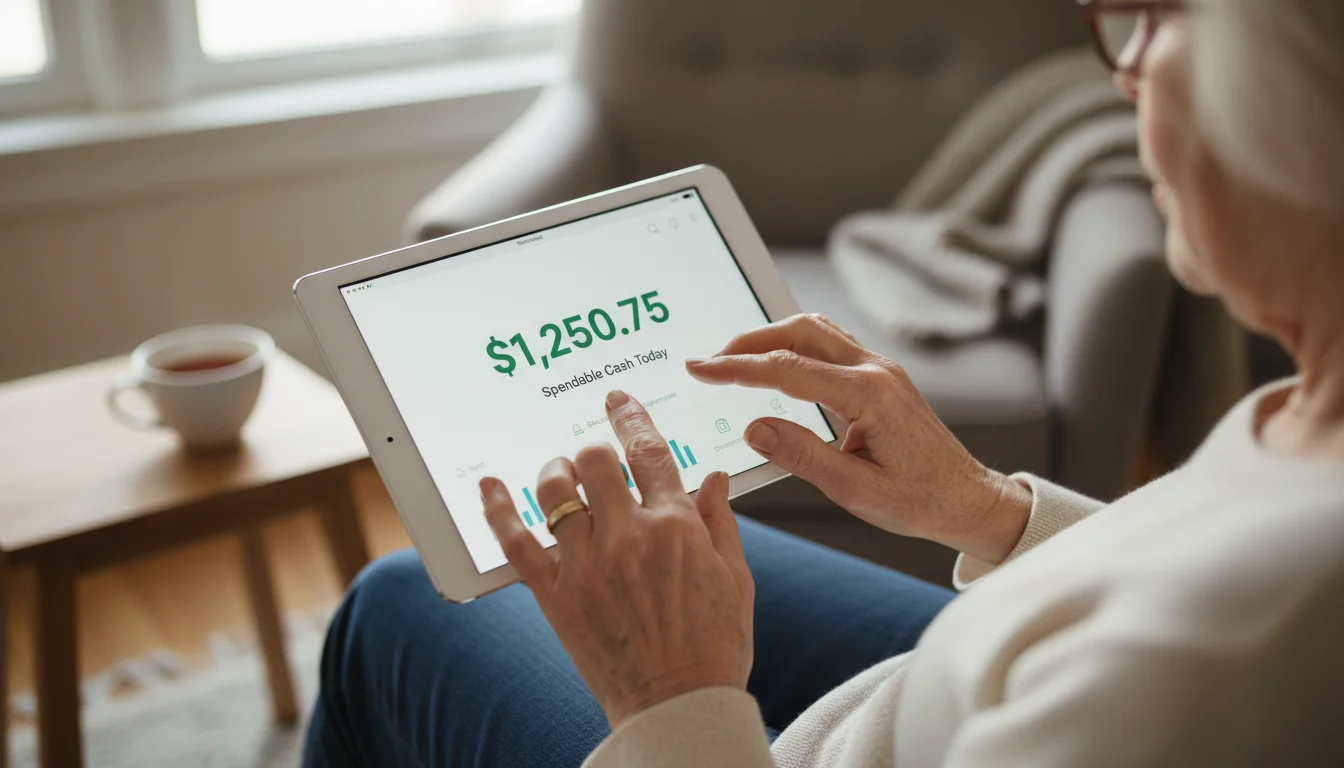
The core question PocketGuard answers is simple: “How much is left in my pocket to spend?” This app is designed to prevent overspending by focusing on your disposable income.
Why it’s great for seniors: Its laser focus on spendable cash is incredibly helpful on a fixed income. It cuts through the noise of complex financial data and gives you a single, simple number. The interface is clean and easy to navigate, with large fonts and clear graphics.
Key Features:
“In My Pocket” Feature: After linking your accounts, PocketGuard calculates your income, subtracts upcoming bills, budget goals, and recurring expenses, and then shows you exactly how much money is safe to spend for the day, week, or month.
Automated Bill Tracking: The app identifies your recurring bills—like utilities, insurance, and subscription services—and helps you negotiate for lower rates on some of them.
Spending Pies: It displays your spending in a simple pie chart, so you can see at a glance which categories are consuming the biggest slice of your income.
Cost: A free version is available with core features. PocketGuard Plus offers more customization for a subscription fee.
Getting Started: The setup is fast. Link your checking and credit card accounts, and PocketGuard immediately starts analyzing your finances to calculate your “In My Pocket” number.

5. YNAB (You Need A Budget)
YNAB is more than an app; it’s a budgeting philosophy. It’s built on the principle of giving every dollar a job. It is an active, hands-on tool that is fantastic for people who want to feel completely in command of their finances.
Why it’s great for seniors: YNAB is excellent for managing irregular income or planning for large, infrequent expenses (like property taxes or annual insurance premiums). By helping you “age your money”—that is, spend money you earned last month instead of this month—it creates a financial buffer that is invaluable on a fixed income.
Key Features:
Zero-Based Budgeting: You assign every single dollar of your income to a specific category, ensuring no money is unaccounted for. This forces you to be intentional with every cent.
Goal Tracking: You can set specific savings goals, like “Save $2,000 for a new hearing aid by December,” and YNAB will help you budget a small amount toward it each month.
Educational Resources: YNAB offers fantastic free workshops, videos, and support to teach you its method, making it one of the most supportive finance apps available.
Cost: YNAB is a premium product and requires a subscription (around $99 per year), but it offers a generous 34-day free trial so you can see if the method works for you.
Getting Started: Take advantage of the free trial and watch one of their introductory videos. The initial setup requires you to think through your priorities, but users often say the investment of time pays for itself many times over in savings.









Leave a Reply