

Staying connected with doctors, family, and emergency services is non-negotiable during retirement, but rising cell phone bills can easily strain a fixed income. The federal Lifeline program solves this problem by providing free or heavily discounted mobile service to eligible seniors. If your retirement budget feels tight, you might already qualify for this essential benefit without realizing it. Whether you rely on specific government assistance programs or meet strict income guidelines, claiming your Lifeline discount saves you hundreds of dollars annually. Understanding the exact qualification rules takes just a few minutes and opens the door to worry-free communication. By securing your spot in this program, you put critical monthly savings right back into your pocket where they belong.
What the Lifeline Program Actually Provides for Retirees
You have likely seen advertisements for “free government phones” and wondered if they are legitimate. The Lifeline program is a highly regulated federal initiative managed by the Federal Communications Commission (FCC). Originally created in the 1980s to ensure low-income households had access to landline telephones for emergencies, the program has evolved to cover modern cell phone service and broadband internet.
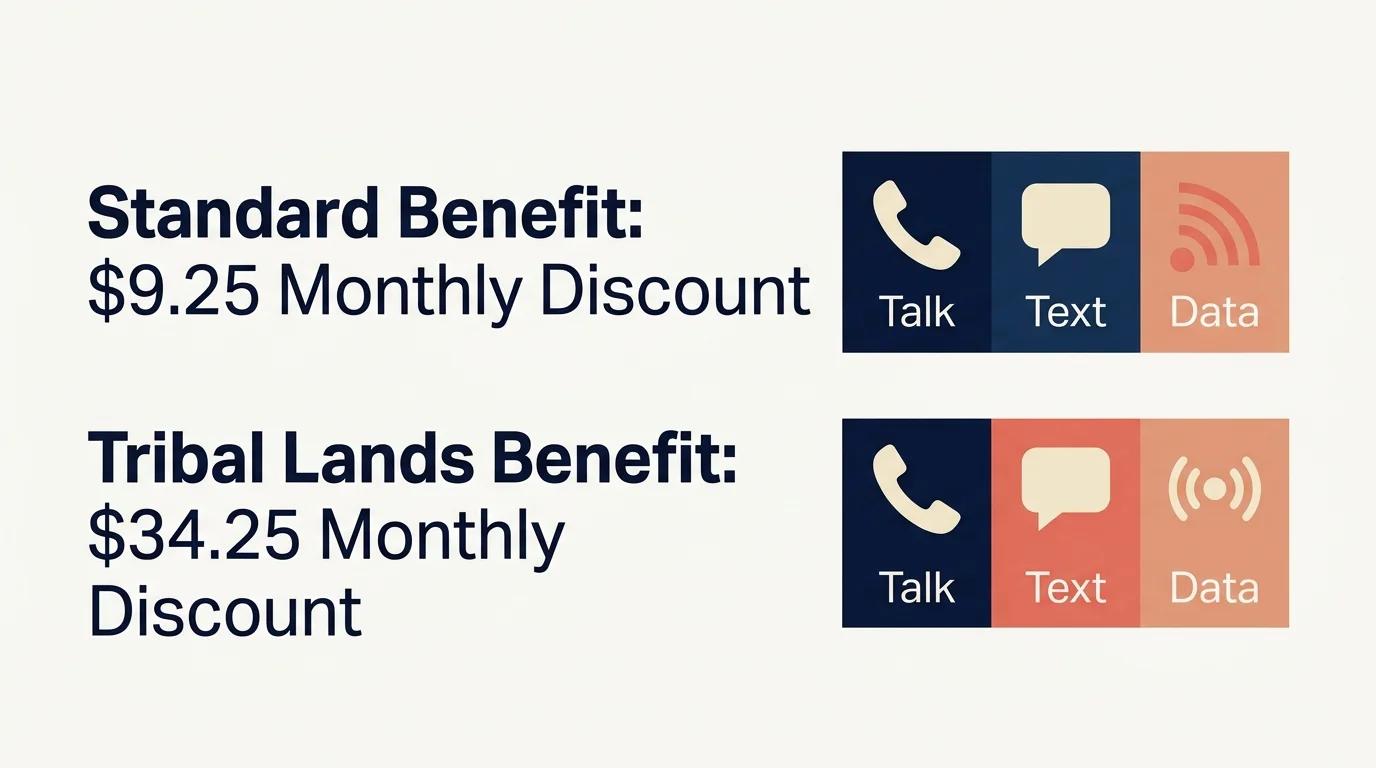
For qualifying seniors, the program provides a discount of up to $9.25 per month on phone or internet service. If you live on recognized Tribal lands, that discount increases up to $34.25 per month. While $9.25 might not sound like a life-changing amount, many participating wireless providers use this federal subsidy to offer specific “Lifeline plans” that cost you absolutely nothing. These specialized plans typically include a free basic smartphone, unlimited text messaging, a set number of voice minutes, and a monthly data allowance for accessing the internet.
Maintaining this connection is about much more than casual conversation; it is a critical component of your health and safety. According to the National Institute on Aging (NIA), staying socially connected helps older adults reduce the health risks associated with isolation, which include cognitive decline and depression. A reliable cell phone ensures you can access telehealth appointments, arrange transportation, and reach out to loved ones without counting your monthly minutes or worrying about an unexpected bill.
The Two Main Ways Seniors Qualify for Lifeline
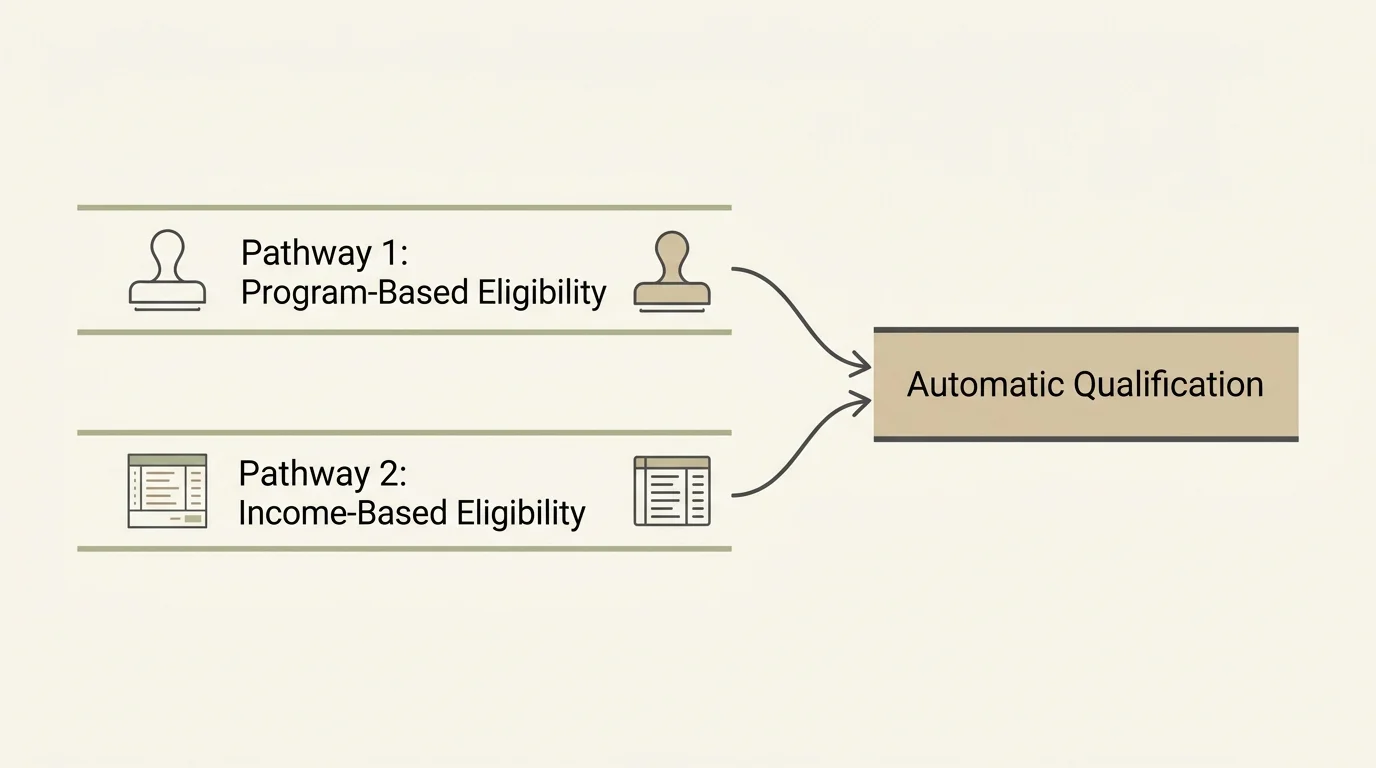
Navigating government programs often feels overwhelming, but the Lifeline qualification process is surprisingly straightforward. The system gives you two distinct pathways to prove you need the assistance. You do not need to meet both requirements; satisfying the rules of just one category guarantees your eligibility.
Before you begin the application process, you must understand the concept of an “economic household.” Lifeline enforces a strict rule: only one benefit is allowed per household. A household is defined as any group of people who live together at the same address and share income and expenses. If you live with another adult who already receives a Lifeline benefit, and you share your groceries and bills, you cannot get a second Lifeline phone. However, if you live in a senior living facility or share a house with a roommate but keep your finances completely separate, you qualify as your own independent household.
| Qualification Pathway | How It Works | Best For |
|---|---|---|
| Program-Based Eligibility | You automatically qualify if you or someone in your household participates in specific federal assistance programs. | Seniors already receiving Medicaid, SSI, SNAP, or Veterans Pension benefits. |
| Income-Based Eligibility | You qualify if your total household income falls at or below 135% of the Federal Poverty Guidelines. | Seniors who do not use assistance programs but live on a very modest fixed income or pension. |
How Your Current Government Benefits Trigger Automatic Eligibility
The easiest and fastest way to get approved for free cell phone service is through program-based eligibility. If you already jump through the administrative hoops to qualify for certain federal safety nets, the Lifeline program trusts that verification. You simply need to show proof of your participation in one of the approved programs.
Seniors most commonly qualify through these federal programs:
- Medicaid: This health coverage program assists people with limited income. Note that Medicaid is different from Medicare. Medicare is an age-based program that most seniors receive, and having Medicare alone does not qualify you for Lifeline. However, if you have a “dual-eligible” plan or receive Medicaid assistance to pay your Medicare premiums, you qualify. You can learn more about how these programs overlap through the Centers for Medicare & Medicaid Services (CMS).
- Supplemental Security Income (SSI): This is a specific financial assistance program for older adults and people with disabilities who have little to no income. According to the Social Security Administration (SSA), SSI is funded by general tax revenues, not Social Security taxes. Receiving standard Social Security retirement benefits does not automatically qualify you for Lifeline, but receiving SSI does.
- Supplemental Nutrition Assistance Program (SNAP): Formerly known as food stamps, participating in SNAP makes you immediately eligible for Lifeline.
- Veterans Pension and Survivors Benefit: Veterans who meet the strict income and net worth requirements for this pension program automatically qualify.
- Federal Public Housing Assistance: If you receive Section 8 or live in subsidized housing, you meet the criteria.

Qualifying Through the Income Rule on a Fixed Retirement Budget
If you do not participate in any of the programs listed above, you can still secure free cell phone service by proving your income meets the federal guidelines. Specifically, your household’s gross annual income must be at or below 135% of the Federal Poverty Guidelines.
Gross income means the total amount of money you take in before taxes and deductions. For a retiree, this includes your standard Social Security retirement checks, payouts from pensions, interest from savings accounts, and money you withdraw from retirement accounts like 401(k)s or IRAs. If you work a part-time job to make ends meet, those wages also count toward your gross income.
Because the Federal Poverty Guidelines adjust slightly every year based on inflation, the exact dollar limit changes annually. Furthermore, the limit increases based on how many people live in your household. A single senior living alone will have a lower income threshold than a married couple living together. When you apply through the income-based pathway, you must provide documentation to prove your financial situation. The most straightforward way to do this is by providing your prior year’s state, federal, or Tribal tax return. If you do not file taxes, you can submit an official Social Security benefits statement, a retirement or pension statement of benefits, or three consecutive months of paycheck stubs if you are working.

Step-by-Step Guide to Applying for Your Free Cell Phone Service
Applying for Lifeline requires patience, but following a structured approach prevents frustrating delays. The system uses a centralized database called the National Verifier to check your eligibility, ensuring a standardized process across all states.
- Gather your documentation: Do not start the application until you have your paperwork in hand. You will need a valid, unexpired ID (like a driver’s license or passport). Next, grab proof of your qualifying program (such as your Medicaid card or a recent SNAP award letter) or proof of your income (your latest tax return or Social Security award letter).
- Check your comprehensive eligibility: Before locking into one program, ensure you are not missing out on others. You can use the official Benefits.gov portal to take a comprehensive questionnaire. This helps you confirm exactly which government assistance programs you currently qualify for, making your Lifeline application easier to support.
- Apply through the National Verifier: Visit the official Lifeline website (LifelineSupport.org) and click “Apply Now.” The online portal will guide you through creating an account and uploading pictures of your documents. If you prefer not to use a computer, you can print a paper application from the website and mail it in with copies of your documents.
- Select a participating service provider: The government does not send you a phone directly. Once the National Verifier approves you, you have 90 days to choose a wireless provider in your area that participates in the Lifeline program. Popular providers include Assurance Wireless, SafeLink Wireless, and Q Link Wireless.
- Order your phone and activate the service: Contact your chosen provider, give them your National Verifier approval information, and select your plan. They will mail the phone directly to your home. When it arrives, follow the enclosed instructions to activate it immediately.
Protecting Yourself from Lifeline Scams and Fraudulent Providers
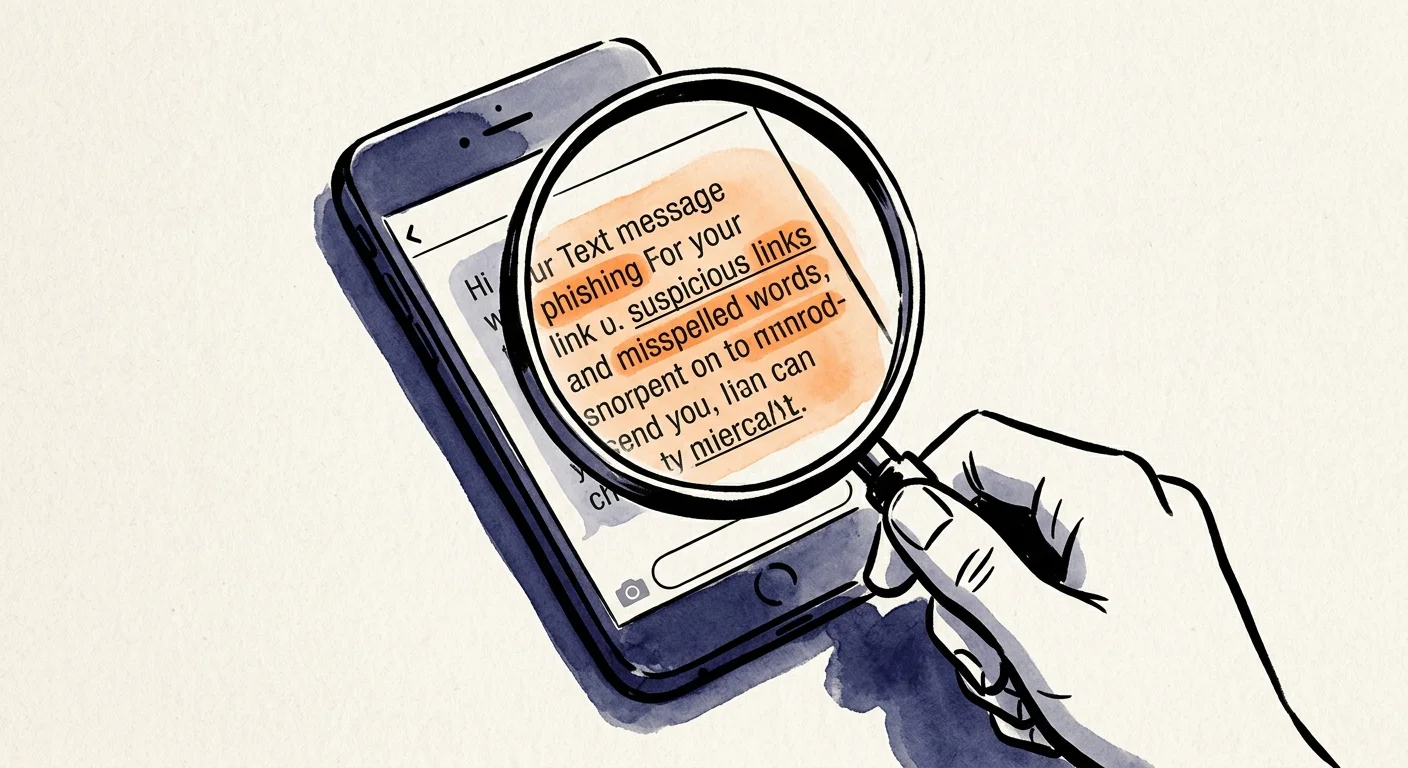
Unfortunately, any program that offers free financial benefits attracts bad actors hoping to exploit the system. Scammers frequently target seniors, using the promise of a “free government phone” to steal personal information or extract illegal payments.
The most important rule to remember is that applying for the Lifeline program is always 100% free. If a company, website, or individual asks you to pay an “application fee,” “processing fee,” or “shipping fee” to receive your Lifeline benefit, you are dealing with a scam. Disengage immediately.
You must also guard your sensitive data. Fraudsters sometimes set up fake websites that look like the official government portal to harvest your information. According to the Consumer Financial Protection Bureau (CFPB), you should never share your Social Security number, banking details, or Medicare numbers with unverified third parties who contact you out of the blue. Always initiate the application yourself by going directly to the official LifelineSupport.org website.
Be cautious of pop-up tents outside grocery stores or community centers offering immediate free phones. While some of these are legitimate representatives of participating wireless companies, others are aggressive marketers who might sign you up for services you do not want or fail to properly secure the copies of your ID they collect. If you choose to sign up in person, ask to see the representative’s credentials and verify their company is listed on the official FCC Lifeline provider list.

Overcoming Common Application Hurdles and Technology Barriers
Securing your phone is only the first part of the process; keeping it active requires ongoing attention. The most common reason seniors lose their free cell phone service is completely avoidable: the 30-day usage rule.
Federal regulations mandate that you must use your Lifeline service at least once every 30 days. If you keep the phone turned off in a drawer “just for emergencies,” the provider will assume you no longer need the service and will disconnect your line. To prevent this, build a simple habit. Call a family member, check your voicemail, or send a text message at least once a week. This regular activity guarantees your phone remains active and ready when a true emergency strikes.
Another major hurdle is the annual recertification process. Every year, you must prove that you still qualify for the Lifeline program. Often, the National Verifier checks your status automatically by scanning government databases. However, if they cannot automatically confirm your continued participation in Medicaid, SNAP, or your income level, they will send you a recertification letter in the mail. Do not throw this letter away. You typically have 60 days to fill out the form, attach fresh proof of your eligibility, and return it. Failing to respond to the recertification request results in immediate termination of your cell phone service.
If you struggle with the online application or find the paperwork confusing, do not give up. Ask a trusted family member or caregiver to help you navigate the National Verifier website. Alternatively, your local public library or senior center often has staff members who can assist you in scanning documents and filling out the online forms safely.
Frequently Asked Questions
Can my spouse and I both get our own free Lifeline cell phones?
No. The Lifeline program strictly enforces a “one per household” rule. If you and your spouse live together and share expenses, you count as a single economic household. You will only be approved for one Lifeline discount, meaning you must choose whether to apply it to a single shared cell phone, a home landline, or a home internet connection.
I receive regular Social Security retirement checks. Does that automatically qualify me?
Receiving standard Social Security retirement benefits does not grant you automatic program-based eligibility. You only get automatic eligibility if you receive Supplemental Security Income (SSI). However, if your regular Social Security checks are your only source of income, your total earnings might fall below the 135% Federal Poverty Guidelines, allowing you to qualify through the income-based pathway.
Can I keep my current phone number if I switch to a free Lifeline provider?
Yes, in most cases, you can transfer (or “port”) your existing phone number to your new Lifeline service provider. When you get approved and contact a participating wireless company to set up your plan, tell them immediately that you want to keep your current number. Do not cancel your old phone service until the new company confirms the number has been successfully transferred.
Do I have to accept the basic smartphone they send, or can I use a phone I already own?
Many Lifeline providers offer a “Bring Your Own Device” (BYOD) option. If you already have a smartphone that you love and are comfortable using, ask the provider if it is compatible with their network. If it is, they will simply mail you a new SIM card to insert into your current phone, activating your free monthly service while letting you keep your familiar device.
What happens if I make too much money next year and no longer qualify?
If your financial situation improves—perhaps you inherit money, start a new job, or no longer qualify for Medicaid—you are legally required to notify your Lifeline provider within 30 days. You will lose the federal discount, but most wireless companies will allow you to keep your phone number and device by transitioning you to one of their standard, paid monthly plans.
For additional senior resources, visit
Eldercare Locator, AARP and Alzheimer’s Association.
Disclaimer: The information in this article is for educational purposes only and is not intended to be a substitute for professional financial, legal, or medical advice. Always consult with a qualified expert for advice tailored to your personal situation.









Leave a Reply